Explainable search
Exact terms, investigator-selected synonyms and spelling tolerance. Each match can explain its origin.
EmailChronicle / Windows desktop
Turn scattered email evidence into a chronological investigation. Search locally, inspect every source and share clear reports.
This website distributes software. Your investigation emails stay in your desktop workspace.
ILLUSTRATIVE EXAMPLE · SYNTHETIC EMAILS
No email upload, Gmail sign-in or case synchronisation is provided by this page. The development design uses local processing; the distributed release still requires independent testing. Your storage has its own settings. Original EML inspection uses the built-in read-only source viewer.
Your first investigation
Download the Windows installer below, open setup, then launch EmailChronicle. No extra software is needed. If Windows blocks setup, stop and contact Maxim.
Keep each investigation in a separate evidence collection.
Add email files. Originals are preserved; known dates are converted to UTC.
Check uncertainty and provenance, then export the visible findings.
Current development build
Features below describe the current development code. A preview installer may lag behind development. Feature availability and clean-machine compatibility must be verified for the approved build.
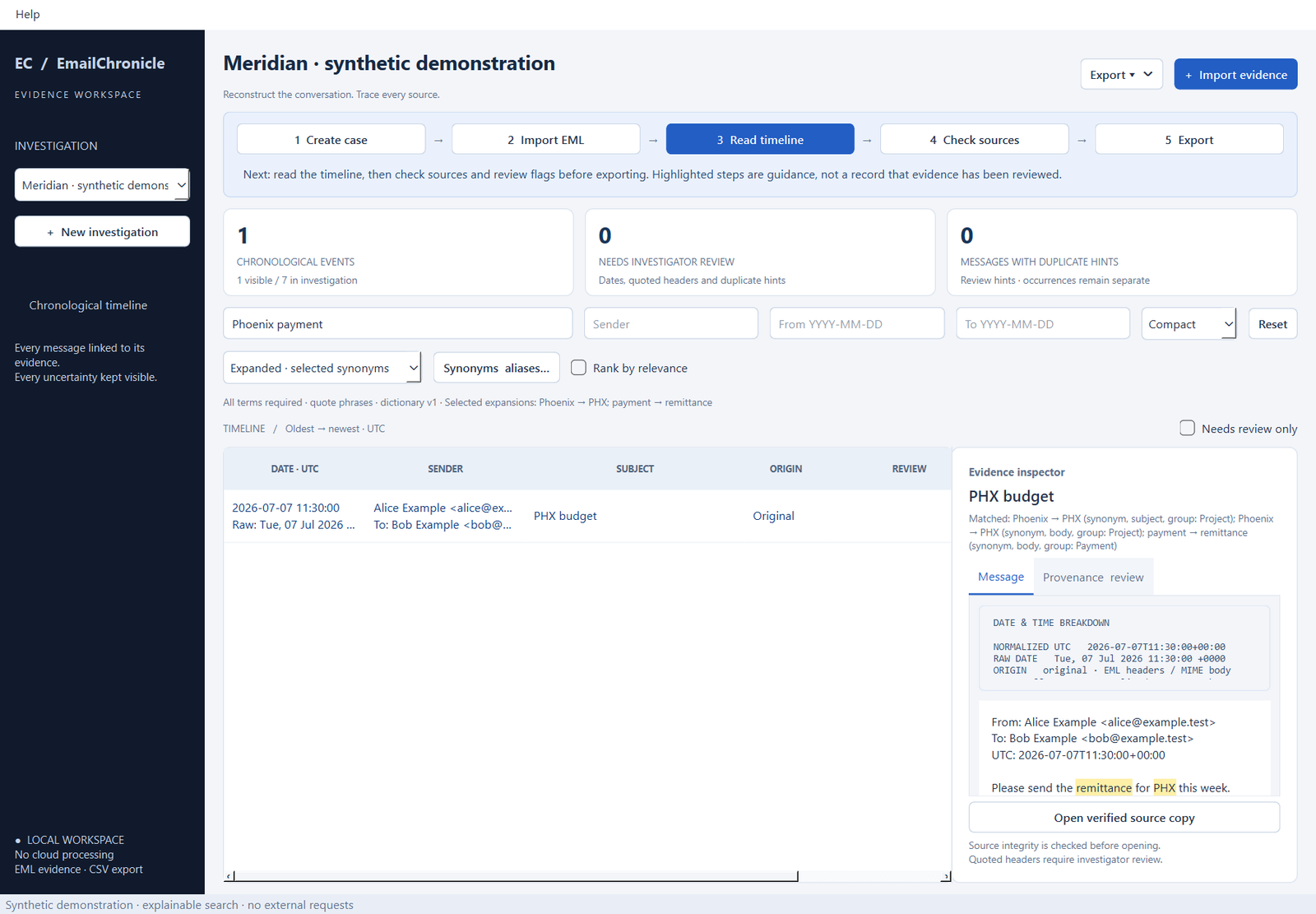
Exact terms, investigator-selected synonyms and spelling tolerance. Each match can explain its origin.
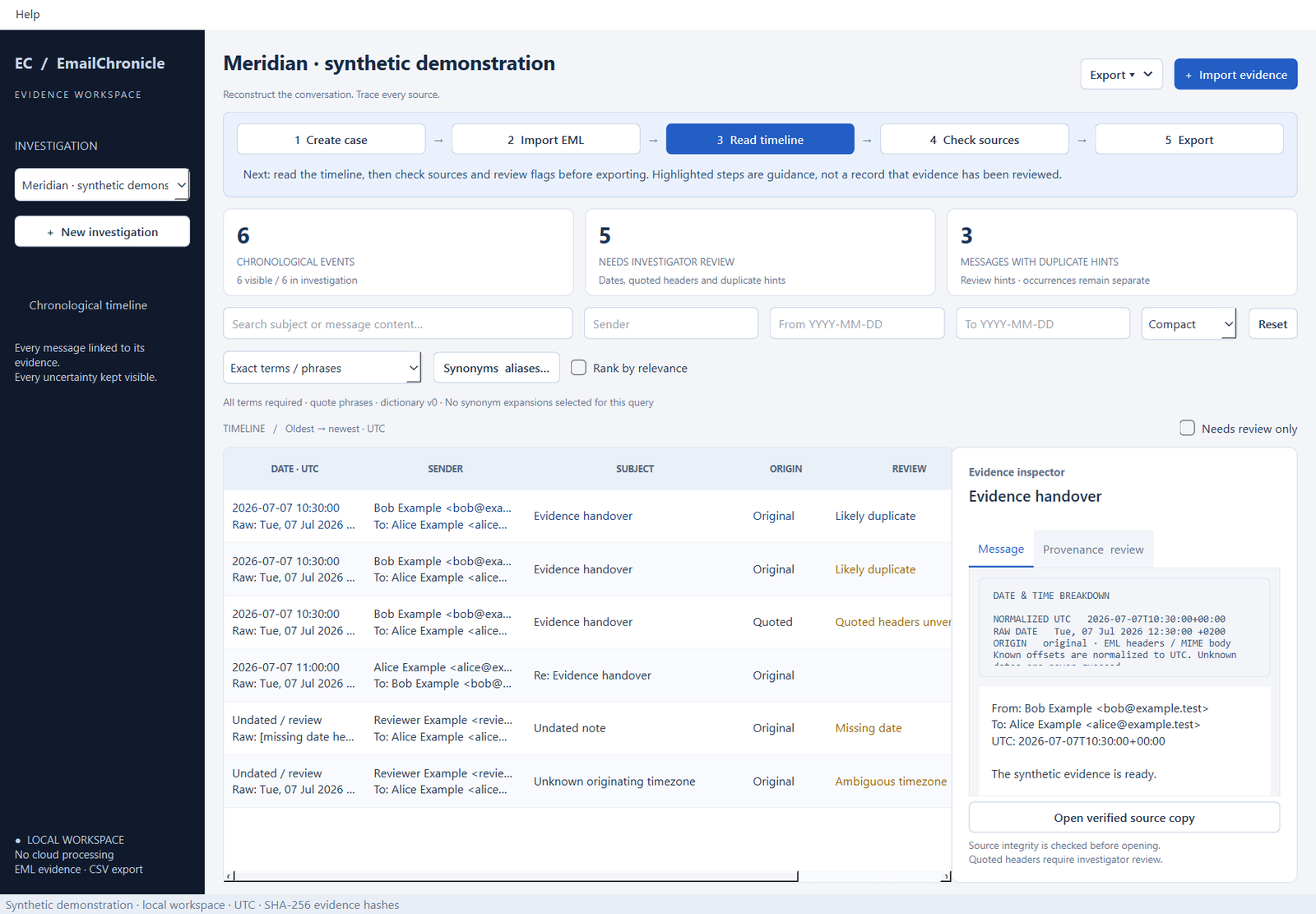
UTC ordering, preserved evidence hashes, quoted-header labels and uncertainty flags.
PDF, Excel and CSV, plus timeline, Gantt-style event and communication graphs.
SQLite storage and a basic audit trail. No AI model or hosted processing required.
Synthetic evidence only
Actual development UI screenshots below use synthetic emails and invented identities. Captured from v0.1.1 source, not a verified signed installer.
For invited friends
Already have a code? Enter it for the download. Otherwise, request access and Maxim can send you a code. One installer; no GitHub account or extra software needed.
Downloads are enabled only for an accepted installer with the configured version and checksum. The current preview is unsigned; installation acceptance remains pending. Do not bypass Windows security controls. Public GitHub preview downloads do not require this website code.
Target: Windows 10/11 x64. Your investigation files stay in the desktop workspace. Preview software: EML import only; review uncertain dates and quoted headers before relying on results.
Need help? Contact Maxim.
Before you start
Yes. In Gmail, open an individual email and use its message menu → Download message. Import the resulting EML file. Direct Gmail connections and Takeout MBOX imports are not implemented.
Install the app and start a new investigation with local EML files. Existing investigations do not synchronise through this website. A portable investigation package is planned; copying only the database can break evidence links.
By default, under %LOCALAPPDATA%\EmailChronicle. Back up the whole folder. Use a location outside synchronised folders if evidence must stay on the device. Uninstall retains investigation data.
Import is EML only. MSG, PDF, DOCX and ZIP import are pending. The database is not encrypted and its audit trail is not tamper-proof. Quoted metadata and duplicate hints require investigator review; reports do not certify conclusions.
Do not disable organisation security controls. Ask your administrator to assess the release, or wait for a verified signed build. A local test certificate does not establish a publicly trusted publisher.